Salesforce Document Workflow Automation
altaFlow connects document-first automation directly to your Salesforce objects. Every approval, signature, and update advances the record with a complete audit trail. We transform your CRM from a static database into a dynamic revenue engine for your business.
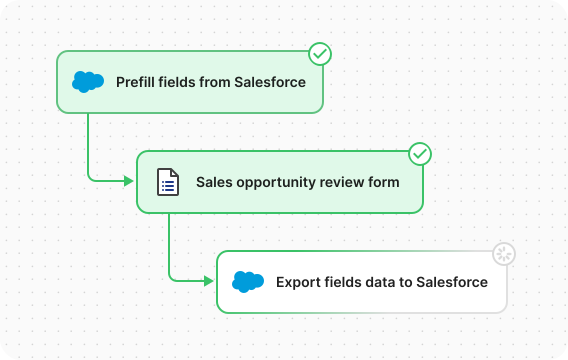
Automate your Document Workflows with altaFlow in Salesforce
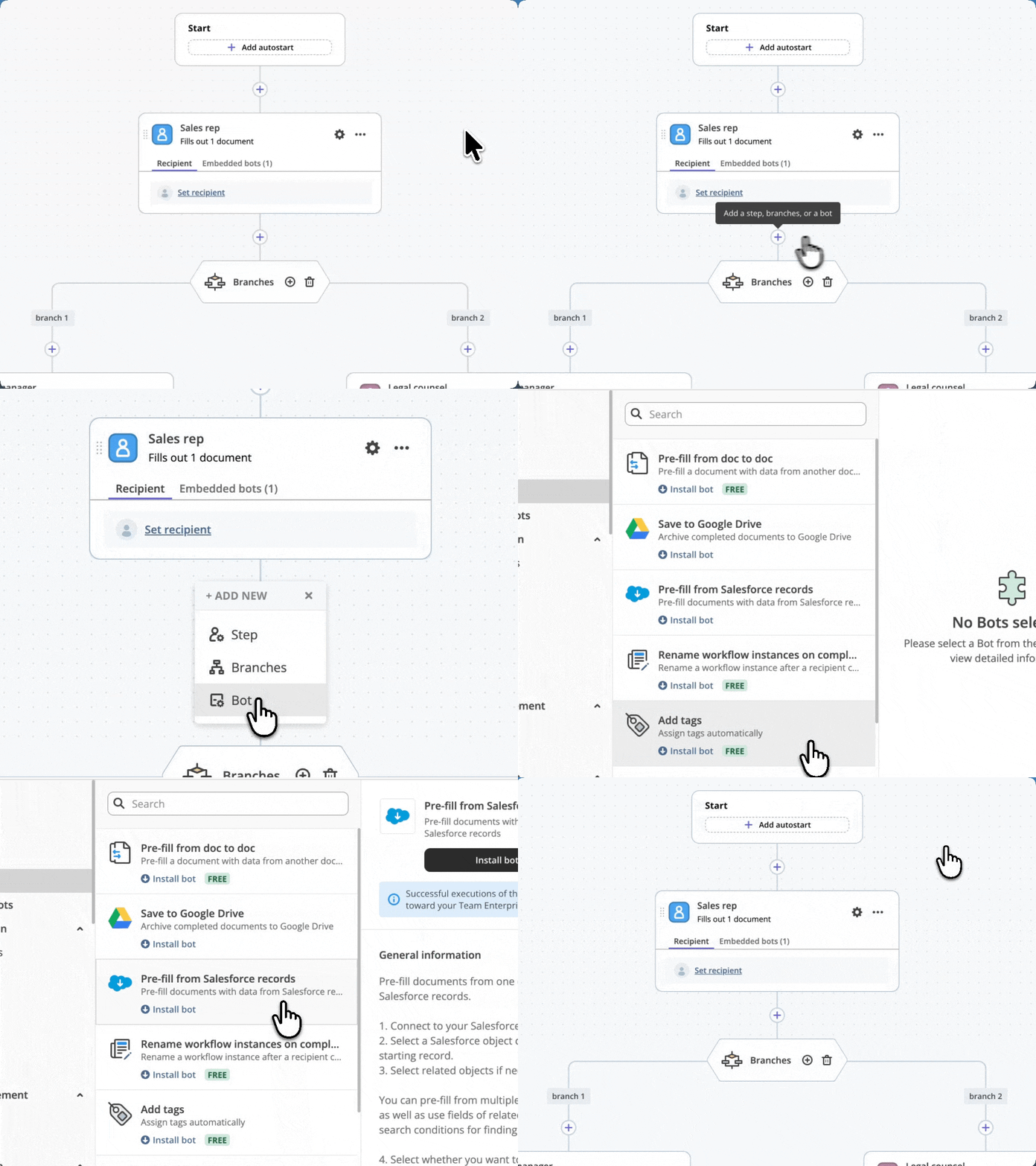
altaFlow eliminates manual work by connecting every step of your document management process directly to your CRM data. It's how you truly automate Salesforce processes.
- Launch from any object
- Connected data flow
- Sync with everything else
Launch from any object
Launch, approve, review, and negotiate contracts without leaving Salesforce, and import Salesforce data into contract workflows to eliminate duplicate data entry.
Connected data flow
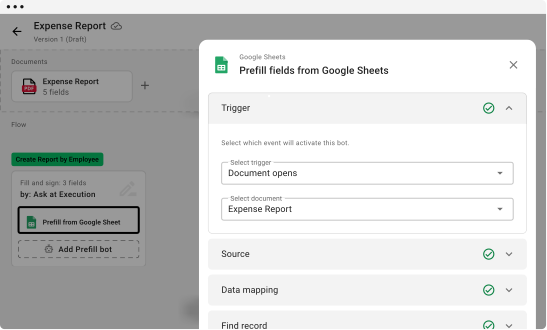
Transfer data between forms, DOCX files, PDFs or spreadsheets and back to Salesforce without code. Each step stays linked so information moves automatically from one document to another.
Sync with everything else
Populate documents with data from Salesforce records and other data sources. Eliminate silos by connecting with storage systems like Google Drive, SharePoint, OneDrive, and more.
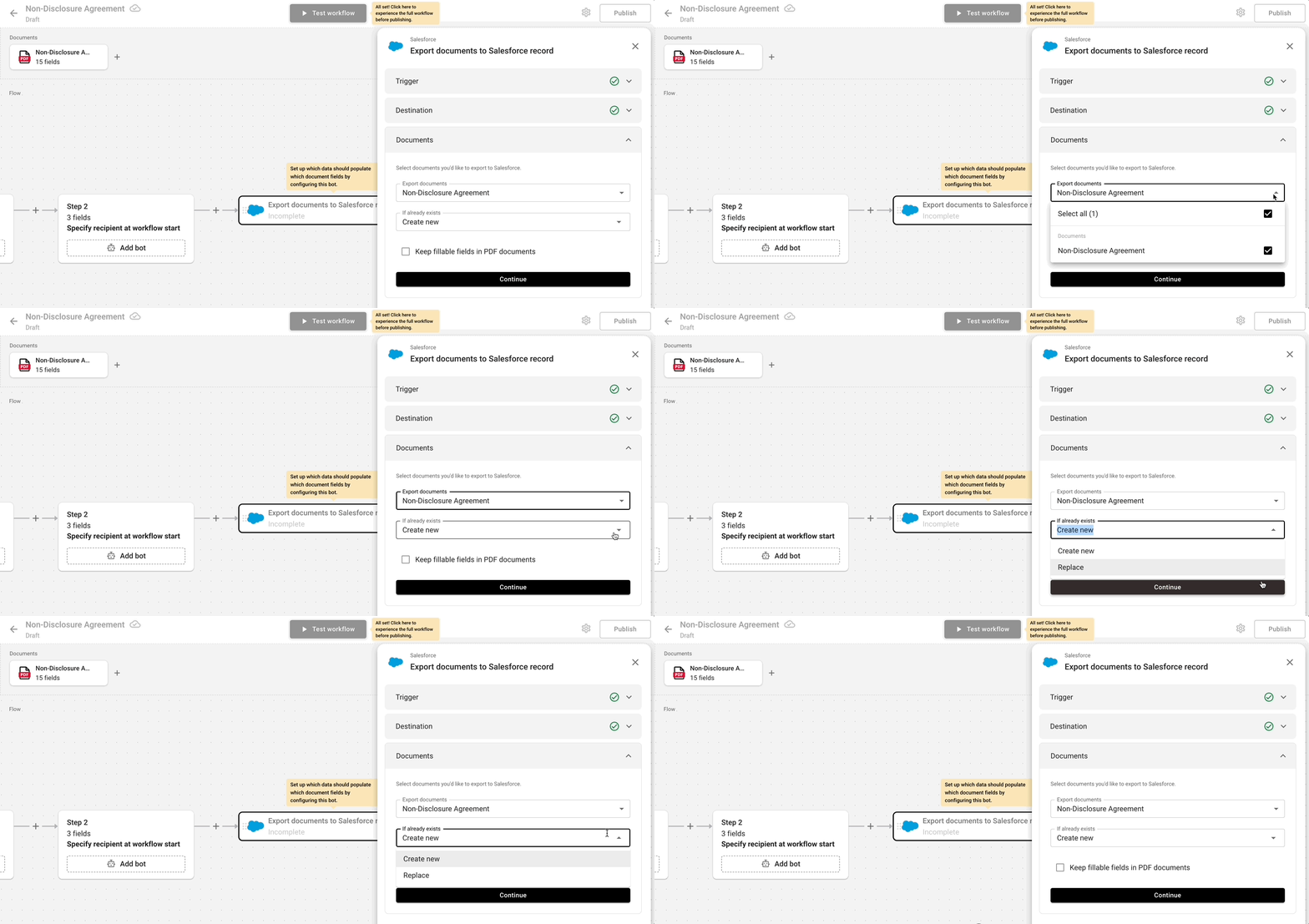
Export Documents to Salesforce Record
Automatically store completed documents in Salesforce for effortless access and management, keeping vital agreements linked to their corresponding records.
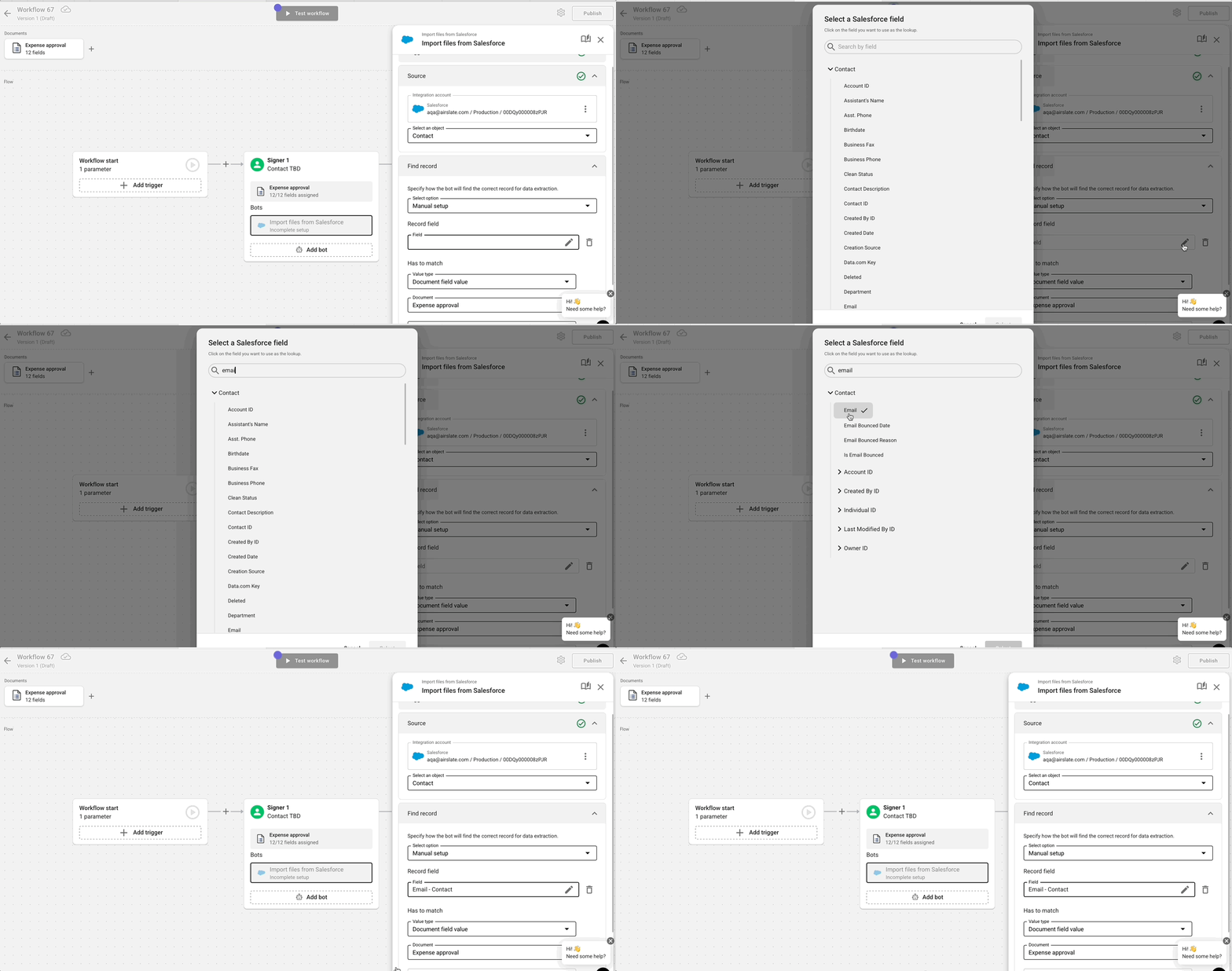
Import Files from Salesforce Record
Attach files from Salesforce records to your documents during signing sessions, saving time and reducing errors by integrating supporting materials right where they’re needed.
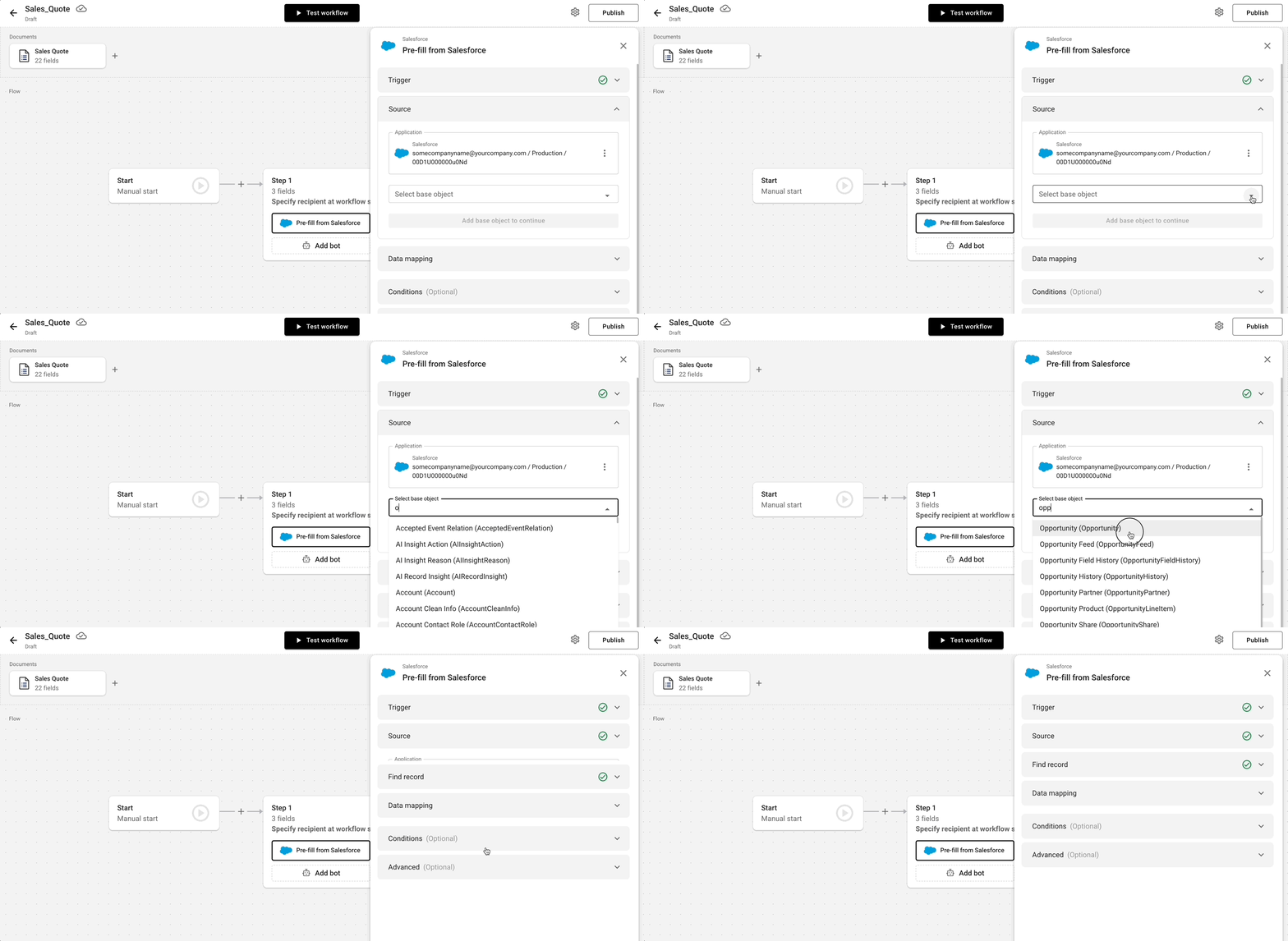
Pre-fill Documents from Salesforce
Instantly populate fields in your documents with data pulled directly from Salesforce, ensuring entered values are always accurate, consistent, and up to date.
Who Benefits from altaFlow's Integration with Salesforce?
Salesforce is the engine, but your people are the drivers. When you remove the friction of manual document handling, every department moves faster and with greater precision. Here is how altaFlow empowers teams across your organization.

Stop wasting hours copy-pasting data into proposals. Automatically generate error-free contracts and quotes directly from your Salesforce Opportunity records, then route them for signature instantly. You get to spend less time on administrative hurdles and more time building relationships that drive revenue.

Replace disjointed manual tasks with streamlined, automated workflows that connect your entire organization. By standardizing how documents are created and processed, you reduce operational costs, eliminate bottlenecks, and gain crystal-clear visibility into process performance and SLA compliance.

Sleep easier knowing every agreement uses pre-approved legal language and follows a strict chain of custody. Our automated approval routing ensures no contract leaves the building without the right sign-offs, while the automatic audit trail keeps you audit-ready without the scramble.

Reduce your backlog by handing document ownership back to business users. Our secure, no-code platform lets teams manage their own templates and logic safely, freeing up your valuable technical resources to focus on strategic initiatives rather than changing font sizes on a contract.

Make a lasting first impression by automating offer letters, employment agreements, and policy documents. Populate them instantly with data from your Salesforce or Human Resources systems, ensuring accuracy and speed that respects the candidate's time and your team's bandwidth.

Create bespoke partnership agreements, event contracts, or renewal notices that are triggered automatically and populated with rich Salesforce data. You get the efficiency of automation with the personal touch that high-value relationships demand.
See How altaFlow Can Transform Your Salesforce Workflows
Request a personalized demo and see how you can create, automate, and integrate end-to-end document workflows directly in Salesforce.