
Skip to content

What Is Document Automation


what-is-document-automation-record-writeback

Document automation, and the older name for it

Document automation, also known as document assembly, is the design of systems and workflows that assist in the creation of electronic documents, in Wikipedia's definition. These include logic-based systems that use segments of pre-existing text or data to assemble a new document, and such systems can automate all conditional text, variable text and data contained within a set of documents. The practice is increasingly used within certain industries to assemble legal documents, contracts and letters, and the same capability is marketed as document generation or DocGen.

What a system automates, and what it produces

Wikipedia names three things such a system automates inside a set of documents, and one thing it produces. Together they describe the mechanism.

Conditional text

Paragraphs that appear only when rules say so.

Variable text

Wording that changes with the transaction data.

The data itself

Values carried across a set of documents.

A first draft

The populated document, which Wikipedia calls a draft.

What separates assembling a document from moving one

Four distinctions matter, and the first is the one the other three depend on. Assembly and routing are different capabilities that a single platform may happen to carry.

Assembly, not routing

Document automation assembles the document itself, merging pre-existing text and data into a new one. Workflow automation moves work between people and systems: IBM describes it as replacing manual tasks with software that executes all or part of a process.

Logic, not find-and-replace

Wikipedia's definition turns on logic-based systems and on automating conditional text, variable text and data. A mail merge substitutes fields; assembly decides which paragraphs belong in this document at all.

Rules without programming

Wikipedia notes that more advanced systems let users create their own data and rules, described as logic, without the need for programming. That is what moves authorship of the logic from developers to the people who own the document.

A first draft

The information collected populates the document to form a first draft, in Wikipedia's wording. Treating the assembled result as finished is how a template error reaches a counterparty unreviewed.

Where the practice is used, in six settings Wikipedia names

Wikipedia names specific industries and document families rather than describing the practice generically. Six of those settings are worth spelling out.

Legal work

Wikipedia lists legal among the primary industries and names employment contracts and estate planning documents, potentially produced through an online interface or a decision tree, as the kind of instrument automation technology may be used to create.

Large law firms

In large law firms, Wikipedia notes, document assembly systems are often used to systemize work, including the creation of complex term sheets and the first drafts of credit agreements. That is assembly applied to negotiation-grade documents.

Financial services

Financial services and risk management sit alongside legal as the primary industries in Wikipedia's account, though it adds the practice can be used in any industry that creates transaction-based documents.

Commercial mortgages

Wikipedia's worked example is a commercial mortgage transaction, which can include a promissory note, environmental indemnity, trust deed, mortgage and guaranty, with the software filling in the correct variables from the transaction data.

Insurance packets

Insurance policies and certificates, depending on the type, can run to hundreds of pages with information specific to the insured. Wikipedia lists eleven kinds of document that could appear in one packet, from welcome letters to riders.

Logistics documents

In supply chain management, Wikipedia lists invoices, packing lists, content lists, pick tickets, arrival acknowledgment forms, import and export paperwork and bills of lading, and says these are usually the contracts between consignee and consignor.

The limits Wikipedia records alongside the benefits

  • Wikipedia records significant implementation obstacles, and its example is remote workers and their clients needing investment in templates, operational rules, data integration and training.
  • Overreliance on generative models raises the risk of content inaccuracies across multiple outputs, particularly in complex legal matters or contexts.
  • Where AI or a large language model produces the document there is potential for hallucinations, inconsistent content and inaccurate information in more nuanced or legal-technical contexts.
  • That in turn leaves business leaders spending significant time confirming a document's reliability and accuracy, which is time the automation was meant to save.

Four practices that follow from how assembly works

Four practices, each drawn from something the definition or the recorded limitations already imply rather than from general advice.
what-is-document-automation-document-template


Automate the logic, not just the merge fields

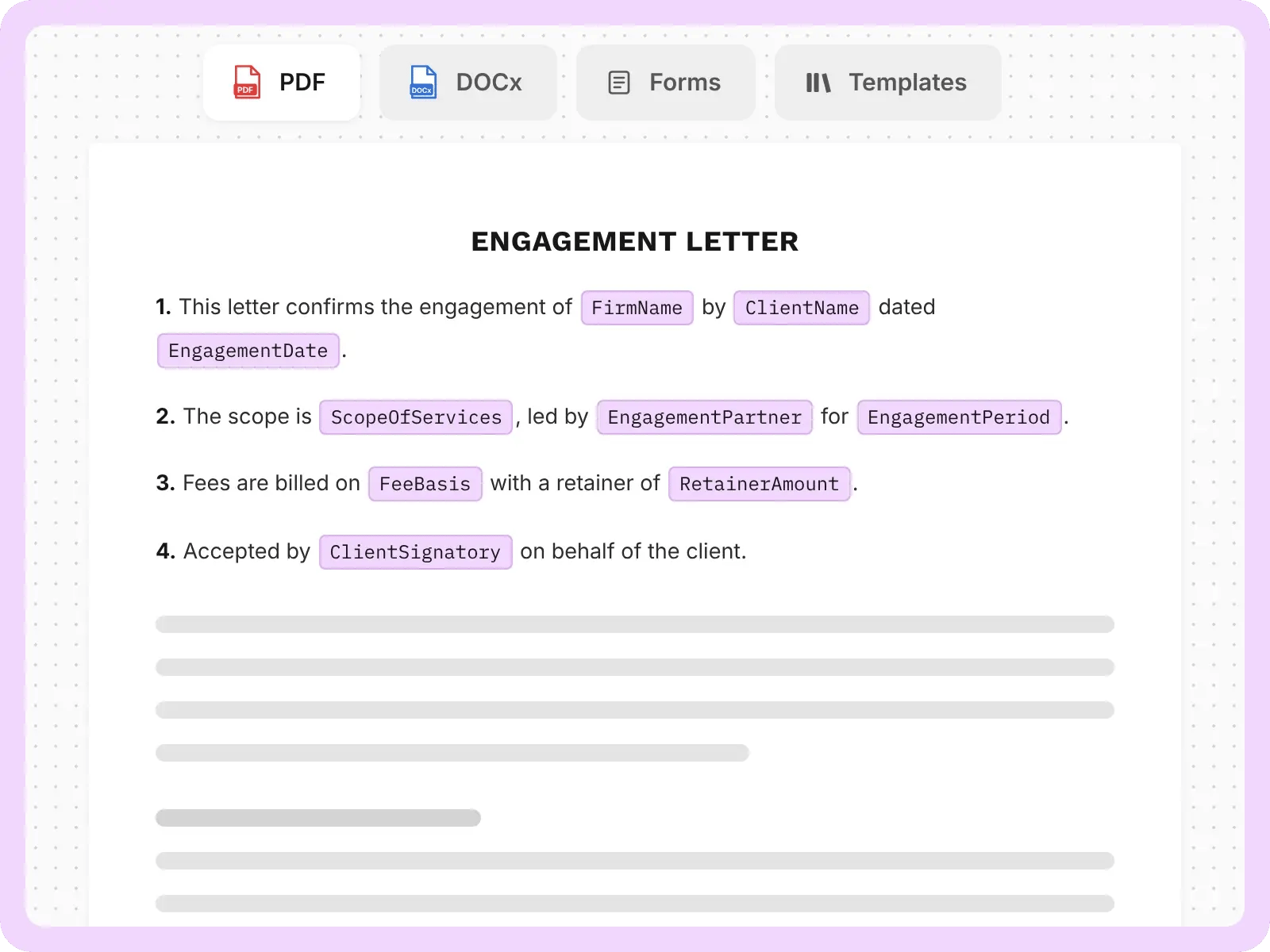
Wikipedia's definition rests on logic-based systems and on conditional text as much as variable text. A system that only substitutes names leaves the hard part, which is deciding which optional paragraphs apply, with whoever is assembling the document by hand.

Put rule authorship with the document owner

Wikipedia notes advanced systems let users create their own data and rules without programming. Where the rules live with developers instead, every clause change becomes a ticket, and the template drifts from what the business actually agrees to.

Keep a human review step on the first draft

The assembled result is a first draft in Wikipedia's own wording, and it records that overreliance on generative models risks inaccuracies across multiple outputs. The review is what stops one template defect from propagating across every document produced.

Budget for templates and integration before rollout

Wikipedia states the advantages come with significant implementation obstacles, and its worked instance is remote workers and their clients needing initial investment in templates, operational rules and data integration, plus enough training for machine-human compatibility. Projects treating these as setup rather than as the work stall at the pilot.

Who reaches for it on the platform side

altaFlow's document-generation page groups the documents it produces by department. Three of its four groupings appear below.

  • Human resources generates offer letters, employment contracts and onboarding document packages.
  • Legal teams are the grouping altaFlow lists for agreements, NDAs and compliance documents.
  • Finance and operations generates invoice creation, purchase orders and vendor contracts.

Those pages describe what each group generates with altaFlow rather than how assembly works in general.

The practitioners named in altaFlow's own stories

Mark McNichol Director

McNichol is the named speaker for In At The Deep End, and his account is about prefilled forms: 'you can create multipage/document forms that are pre-populated based on information users already supply.'

James Craig Director of Information Technology

Craig is the named speaker for NewSchool of Architecture & Design, where staff had spent countless hours keying data from student forms into internal systems. His summary: 'We've reduced manual work by 95% and cut our document turnaround time by 90%.'

Two document-generation problems, as published

Both accounts come from altaFlow's published customer stories and stay inside what those stories record.

Order forms at BillingTree

BillingTree needed order forms generated as part of client onboarding, where manual production carried the errors the card says were eliminated

  • altaFlow automates the order form generation
  • The flow integrates with Microsoft Dynamics 365

Resulting in streamlined client onboarding and the elimination of manual errors, which is the whole of what the customer-stories card states, so no figure and no further mechanism is attached here

Student forms at NewSchool

NewSchool of Architecture & Design had staff keying data from student forms into internal systems by hand, which the story records as leading to errors and delays

  • altaFlow digitized the student-facing forms
  • Documents route automatically to the right departments

Resulting in the institution reporting manual work down 95 percent and turnaround down 90 percent, while the 100 percent document-accuracy figure and the 40 reclaimed staff-hours per week are both altaFlow's own written results bullets

Governance the generated document inherits

  • Audit trails: IBM notes automation can provide an audit trail
  • Retention limits: GDPR sets a storage limitation principle
  • HIPAA Security Rule: Administrative, physical and technical safeguards for ePHI
  • SOC 2: An AICPA examination of a service organization's controls
  • Processing scope: GDPR covers automated and manual processing alike
  • Card-data handling: altaFlow routes transactions through third-party PCI DSS processors

How altaFlow generates and then moves the document

altaFlow describes its own loop in four moves, which spans assembly and routing. These are altaFlow's platform claims, not properties of document automation generally.

Data leaves the record:

altaFlow pulls from Salesforce or captures a web form.

One pass builds the document:

Conditional logic and dynamic tables assemble the correct version.

A governed workflow routes it:

Approval and signature, every step tracked.

The result writes back:

Into the system of record, with no re-typing.

FAQs about document automation

Six questions that come up when a team first tries to separate generating a document from moving one.

Is document automation the same as document generation?

They name the same practice. Wikipedia's article title is document automation and records document assembly as another name for it; the capability is marketed as document generation or DocGen. Nothing turns on which term a vendor uses.

How is it different from workflow automation?

Assembly versus movement. Document automation builds the document from pre-existing text and data; workflow automation, as IBM defines it, replaces manual tasks with software that executes all or part of a process. A platform can do both, but they are different subjects.

What can actually be automated inside a document?

Conditional text, variable text and the data contained within a set of documents, per Wikipedia. The conditional part is the substantive one: it decides which optional paragraphs and clauses belong in this particular document.

Do we need developers to build the templates?

Not for the rules, on Wikipedia's account. It notes that more advanced document automation systems allow users to create their own data and rules, described as logic, without the need for programming, which is a change from the earlier approaches it describes.

Which industries use it most heavily?

Wikipedia names legal, financial services and risk management as the primary industries, while adding that it can be used in any industry that creates transaction-based documents. Its worked examples run to commercial mortgages, insurance packets and logistics paperwork.

What does it actually save?

Wikipedia records that automation systems allow companies to minimize data entry, reduce the time spent proofreading and reduce the risks associated with human error, with further savings from decreased paper handling, storage, distribution, postage, labour and waste.

Optimize your document workflows

From quick wins on day one to measurable impact in under 90 days. 

44