Skip to content

See Our Product in Action

Curious how our platform fits your unique challenges? Let's explore how altaFlow can automate your exact workflows.

Integrations
salesforce-logo
Salesforce
Oracle-NetSuite-Logo-white
Netsuite
icons8-sharepoint
SharePoint

Connect Your Entire Workflow

From Salesforce and NetSuite to SharePoint and beyond. Let’s discuss how our integrations can unify your systems.

Put Our Knowledge to Work

Go beyond templates and see what's possible. Let's talk about how our insights can power your success.

PDF Editing Without the Extra Tool, the Extra License, or the Extra Step

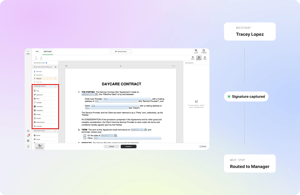
Edit text, annotate, merge, and add fillable fields to any PDF inside altaFlow, then route it through the same governed workflow that collects the approval and the signature.
 

altaFlow-PDF-Editing

The PDF detour is where documents lose time

A contract arrives as a PDF. Someone downloads it, opens a separate editor, makes the change, saves a new version, and uploads it back. Now there are two files, the audit trail has a gap, and nobody is sure which version went out for signature.

Every detour out of the workflow is a version-control risk and a license you are paying for separately. PDF editing belongs where the document already lives.

Edit the PDF where the workflow runs

altaFlow includes a native PDF editor, so editing is a workflow step, not a side trip.
Edit and annotate in place

Change text, add comments, highlight, and mark up PDFs directly in the platform. The working version is the only version.

Make any PDF fillable

Drag fillable fields onto any PDF: text, dates, checkboxes, dropdowns, formulas, and conditional fields that show or hide based on earlier answers.

Merge and manage in one place

Combine documents, reorder pages, and manage multi-document packets inside the same flow that routes them.

Send it onward without leaving

The edited PDF moves directly into routing, approval, and signature. Every edit is captured in the audit trail.

Why a built-in editor beats a separate PDF tool

One task, two problems

A standalone editor solves one task and creates two problems: version sprawl and a governance gap.

3 to 1 tool consolidation
With editing native to the platform, customers consolidate tools 3 to 1.
No separate PDF license

Editing is built into altaFlow, so you skip the separate PDF license entirely.

One platform, full lifecycle

Edit, route, approve, and sign in one governed platform. One platform. Full document lifecycle. No IT required.

Who edits PDFs in altaFlow

Celebrating-achievements-together
Operations teams

Vendor forms, work orders, and intake packets updated and routed in one motion.

altaFlow-interview
Legal and contracts

Markups and annotations that stay attached to the document and the audit record through redlining and signature.

 

altaFlow-solution-help
HR and people ops

Offer letters and policy documents turned fillable once, reused as templates forever.

altaFlow-working-together
Sales and RevOps

Customer-returned PDFs corrected and moved to signature without re-generating the deal packet from scratch.

Security at the core

Enterprise-grade security and compliance

SSO, role‑based access, audit trails, data retention, and encryption. Built to support regulated use cases with governance across every workflow.


Questions & Answers

Can I edit PDF text directly in altaFlow?

Yes. Edit text, annotate, and mark up PDFs natively. No external editor or separate license required.

Can I add fillable fields to an existing PDF?

Yes. Drag and drop text fields, dates, checkboxes, formula fields, and conditional fields onto any PDF, then send it for completion and signature.

Does editing break the audit trail?

No. Edits happen inside the platform, so every change is captured in the same audit trail that covers routing, approval, and signature.

Can I merge multiple PDFs?

Yes. Combine documents and manage multi-document packets inside a single workflow.

Edit, route, and sign in one platform

Retire the standalone PDF editor and the version confusion that comes with it.

55