Automate Your Document Workflow with Google Workspace
Integrate altaFlow with Google Workspace to automate document workflows across Sheets, Drive, Calendar, and Gmail
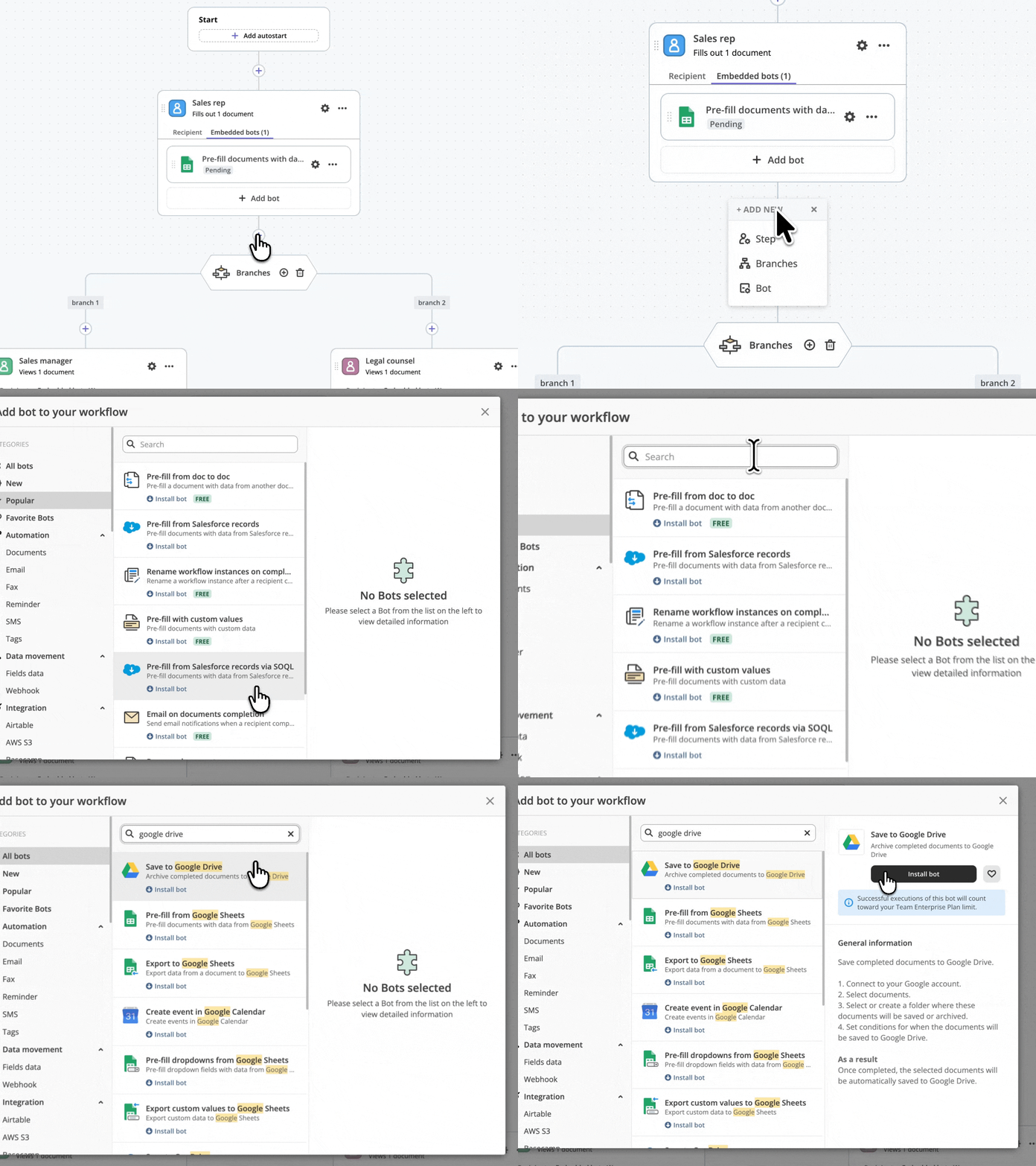
Seamless Document Automation Across Google Workspace
altaFlow connects with Google Workspace to create a seamless document automation experience. Pull data from Google Sheets to pre-fill forms, archive signed documents to Google Drive, create calendar events upon document completion, and automate email notifications through Gmail — all with no-code configuration.
Key Capabilities
How Does It Work?
Connect your Google Workspace account to altaFlow in just a few clicks
Select and configure the no-code Bot that matches your workflow needs
Set your if-this-then-that conditions to control when and how the Bot runs
Why altaFlow for Google Workspace
Available Google Workspace Bots
altaFlow offers the following no-code automation Bots for Google Workspace:Questions & Answers
Yes. The Pre-fill from Google Sheets Bot automatically populates document fields with data from your spreadsheets. You map sheet columns to document fields, set your trigger conditions, and the Bot handles the rest.
The Save to Google Drive Bot automatically archives completed documents to your specified Drive folder. You configure which documents trigger the save and which folder receives them — no manual uploading required.
Absolutely. The Create Event in Google Calendar Bot automatically generates calendar events when documents are completed, signed, or reach a specified workflow stage.
Yes. The Export to Google Sheets Bot pushes completed document data into your spreadsheets for centralized tracking and reporting, creating a complete bi-directional data flow.
Ready to automate your Google Workspace workflows?
Get started with altaFlow today — no code required.