

Your HubSpot workflows can do almost anything. Enroll a contact, advance a deal stage, fire a Slack alert, assign a task to the right rep. So why is someone on your team still copy-pasting signed contract values back into the deal record by hand?
Because HubSpot automates everything around the document. It does not automate the document itself. It can tell a rep to send an agreement, but it cannot build that agreement from the deal record, route it for approval, collect the signature, and write the final values back onto the deal. That work falls to a separate eSignature tool, a few zaps, and a person retyping fields.
That gap is where deals slow down and where your CRM data quietly goes stale. Let’s talk about what HubSpot can’t do with a document, and the three bots that close the gap.
The One Thing Your HubSpot Workflows Can’t Touch
HubSpot is a strong system of record. Its workflow engine moves contacts, companies, deals, and tickets through stages and triggers actions against them. What it was never built to do is treat a document as structured, governed data: generate it from record fields, push it through an approval and signature sequence, and return the completed values to the record automatically.
So admins improvise. They bolt on a signature tool, wire up Operations Hub custom-coded actions or a Zapier zap to shuttle files around, and lean on reps to re-key values after the fact. Each workaround looks small on its own. Together they form a brittle chain that breaks quietly and costs more than anyone tracks. According to Ironclad, contracts still take an average of 35 days to execute, and most of that time is lost in the handoffs after the document is drafted, not in the drafting itself.
For a HubSpot admin, the breakdown shows up in three specific places.
The generation gap. HubSpot can’t assemble a contract, order form, or onboarding packet from deal and company properties. The data sits in the record, but the document gets built somewhere else, by hand, which reintroduces the exact transcription errors your CRM was supposed to eliminate. This is the job that document generation is built for.
The signature detour. A standalone eSignature tool signs the file, but it lives outside HubSpot, keeps its own audit trail, and hands you back a flat PDF with no structured data. Signature-only tools end where your workflow starts. You still have to get the file and its contents back into the record.
The write-back gap. This is the one that poisons your reporting. After the document is signed, the negotiated values, the selected terms, the decision maker named on the form, none of it flows back into HubSpot on its own. A person retypes it. CRM accuracy decays one deal at a time, and the dashboards you built on those properties slowly stop telling the truth.
The Loop That Has to Close
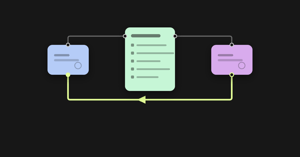
Think of a complete document workflow as a loop: HubSpot → Document → HubSpot. Data flows out of HubSpot to pre-fill a document, the document moves through generation, routing, approval, and signature, and the completed data flows back into HubSpot as structured fields and a filed document.
Most stacks handle the outbound leg fine. The leg everyone skips is the return leg, and it’s the only one that keeps your CRM honest. altaFlow’s HubSpot integration closes that return leg with three no-code bots. They aren’t abstractions. They’re real, configurable steps you add to a workflow, and they map directly to the three breaks above.
The Three Bots That Close the Loop
You add each bot the same way you add any workflow step. Click the plus icon at the point in the flow where you want it, select Bot, search by name, and install it. Each one runs by default once the documents are completed by the step it sits after, so where you place it in the flow is what controls timing. Each connects through Connection settings, where you authorize a HubSpot account that has editing permissions on the objects you intend to touch. Without those permissions, the records won’t write.
Create HubSpot Records
The Create HubSpot records bot creates new records and populates their fields from a completed document. The classic use case is inbound: a prospect fills out a lead form, the form completes, and the bot creates the record without anyone touching HubSpot. You pick a base entity where the data lands, for example Contacts, and optional related entities like Companies, and the bot sets up the relationship between the two new records for you. Then you map document fields to HubSpot fields. One rule matters here: map every field HubSpot requires to create a record in that object, or the record won’t be created. Worth planning around: the bot can’t create records in a base entity’s related custom entity, because the HubSpot API doesn’t support it.
Update HubSpot Records
The Update HubSpot records bot writes data from a completed document onto records that already exist. This is the bot that fixes the write-back gap. Picture a real sales motion: during a discovery call, an AE fills out a discovery report form with use cases, pains, and the decision maker. When the form completes, you want every one of those values sitting on the existing deal, not in a PDF nobody reopens. You select a base entity like Deals, plus optional related entities like Companies. Note the mapping direction is the reverse of the create bot: here you map HubSpot fields to document fields. Then you set up the Select starting record lookup, the part admins underestimate, telling the bot how to find the right record by matching a field to a value and choosing whether to act on any matching record or all of them. That lookup is what stops the bot from updating the wrong deal. It’s the same pattern as a clean data sync, governed and automatic.
Export to HubSpot
The Export to HubSpot bot uploads the completed document itself to a HubSpot record after recipients finish signing. This is the bot that ends the download-rename-reupload ritual. After a customer signs a sales form, the finished file gets attached to their record automatically, with the audit trail intact. You select a base object as the destination, choose the file from the workflow you want to attach, then configure the same starting-record lookup, where you can stack several criteria and choose whether all or any of them must match. As with the others, exporting into custom entities isn’t supported by the HubSpot API, so target standard objects.
Together with pre-fill on the outbound side, these three bots close the full HubSpot → Document → HubSpot loop, the same way the Salesforce integration closes it for Salesforce shops.
Built to Run Safely, Not Just Quickly
For an admin weighing altaFlow against the patchwork you have now, the difference isn’t that the bots move data. Plenty of tools move data. The difference is that they move it predictably, under control, and with an audit trail, without code.
Every bot carries the same governance scaffolding. Conditions let you define exactly when a bot fires instead of relying on the default trigger, so the create bot only runs for the right form type, or the update bot only runs when a deal hits the right stage. Advanced settings let you set how often a bot runs, decide what happens to a revision if a bot fails instead of letting a failure vanish silently, and tag documents so you can find them later. When a condition is met, the action executes. Every time. That determinism is the point. In a regulated or high-stakes workflow, a system that “usually” routes correctly and “mostly” writes back is a liability, not a convenience.
This is where the bolt-on stack falls down. A signature tool plus a zap plus a manual re-entry step has no shared audit trail, no enforced conditions, and no single place to see what happened and why. altaFlow runs SSO, role-based access control, audit trails, and retention at the platform layer, and every bot inherits the same governance contract. One chain of custody, from the moment the document generates through signature to the write-back into HubSpot. Reliability isn’t a promise here, it’s a measured number: altaFlow executed 7.3 million workflows in Q1 2026 at a 99.66% success rate.
What the Manual Write-Back Actually Costs
You might be thinking, “Fine, but is this really worth solving?” Put a number on just the write-back gap. Say your team completes 200 documents a month and a rep spends 12 minutes per document re-keying signed values into HubSpot, at a blended ops rate of $45 an hour.
That’s $21,600 a year spent retyping data your system already captured once, and it ignores the downstream cost of the errors those manual entries introduce. Add the hours spent chasing signatures and reconciling mismatched records, and the number climbs fast. These figures also leave out delayed revenue, missed renewals, and forecasting decisions made on top of bad CRM data. Once you quantify it, the business case for automating the loop gets easy to make.
*Illustrative scenario. Assumes 12 minutes of manual re-entry per completed document at a $45 blended hourly rate. Labor cost only, excludes error and reporting costs.
+Average contract execution time of 35 days from Ironclad’s 2026 Contracting Benchmark Report: https://ironcladapp.com/resources/reports/2026-contracting-benchmark-report
One Platform Instead of a Patchwork
The deeper case is consolidation. The reason the loop breaks is that the work is split across tools that were never designed to govern a document together. altaFlow runs the whole lifecycle as one no-code platform: document generation, PDF editing, workflow automation, contract management, and eSignature, with HubSpot as the system of record on both ends of the loop.
Customers running document workflows on altaFlow see:
- Contract cycle times reduced by 40%
- 100+ admin hours reduced to 20 to 30
- Automation build time cut by 80%
- Doubled ROI
- 5 separate document tools consolidated into 1 platform
And the cost question usually answers itself: altaFlow runs about 30% less than DocuSign, Conga, and PandaDoc. A signature-only tool signs the file and stops. A proposal tool handles the sales document and stops. Neither closes the loop back into HubSpot, and neither governs the full lifecycle. If you’re comparing options directly, the altaFlow vs. DocuSign and altaFlow vs. PandaDoc breakdowns make the gap clear.
In Summary: Close the Loop in HubSpot
HubSpot moves your records beautifully. It just hands off the document to whatever you bolted on, and that handoff is where time, accuracy, and revenue leak out. Create, Update, and Export are the three steps that close the loop, governed and no-code, so the data your team negotiates and signs lands back on the right record automatically.
If your HubSpot workflows automate everything except the document, you haven’t automated the workflow. You’ve automated the part around the bottleneck.
Map the Update bot to the one form whose values you retype by hand today, point its lookup at the right object, and watch the manual seam close. Then add Create and Export as the inbound and filing legs fall into place.