Skip to content

The business changes its own contracts. You keep the audit trail.

altaFlow generates contracts from the record, routes approvals, and writes the signed values back, all configured by the teams that own the process. Single sign-on, role-based access, and one audit trail stay with you. No code, live in weeks.

IT hero visual

30% less

AltaFlow costs 30% less than DocuSign, Conga, and PandaDoc on average

5 tools in 1

DocGen, PDF editing, workflow automation, contract management, and eSignature

80% faster

Automations that took 100+ hours now take 20–30

2x ROI

Through lower licensing, faster automation, and fewer tools

What IT stops being asked to build by hand

Let our own people change the paperwork instead of waiting on a developer or the vendor.

The ticket queue loses a whole category.

Sales operations and the deal desk configure their own documents, routing, and approval logic in a no-code, drag-and-drop builder, so a clause change stops arriving as a development request.

Workflows

  • Template and clause changes.
  • Approval routing changes.
  • New document types for a new motion.
 
Keep the system of record accurate without maintaining a homegrown integration that breaks when one person leaves.

One integration to own instead of a chain you inherited.

Native two-way sync replaces the signature tool plus integration platform plus custom code pattern, with no limit on the related objects or fields the document can read from.

Workflows

  • Record to document data flow.
  • Signed value write-back.
  • Document storage and attachment.
 
When Legal, a security team, or an auditor asks who agreed to what and when, answer on the spot.

Legal and security review one platform, not five.

Single sign-on, role-based access, retention, and a full audit trail sit at the platform layer, so the controls apply to every workflow rather than being configured per tool.

Workflows

  • Access reviews and attestations.
  • Vendor security assessments.
  • Retention and disposal.
 

Where the ticket queue actually comes from


A pricing change lands and three teams file requests to update documents they cannot edit themselves.
The signature tool, the integration platform, and a piece of custom code hold the process together, and one person understands all three.
A security questionnaire arrives and the evidence has to be gathered from five tools with five different audit models.

From the record to the signed contract, without a ticket

Step 1

Start from the record

Start from the record — altaFlow IT

A business user launches the document from an object layout you configured once. No code runs on your side to make it happen again.

Step 2

Generate

Generate — altaFlow IT

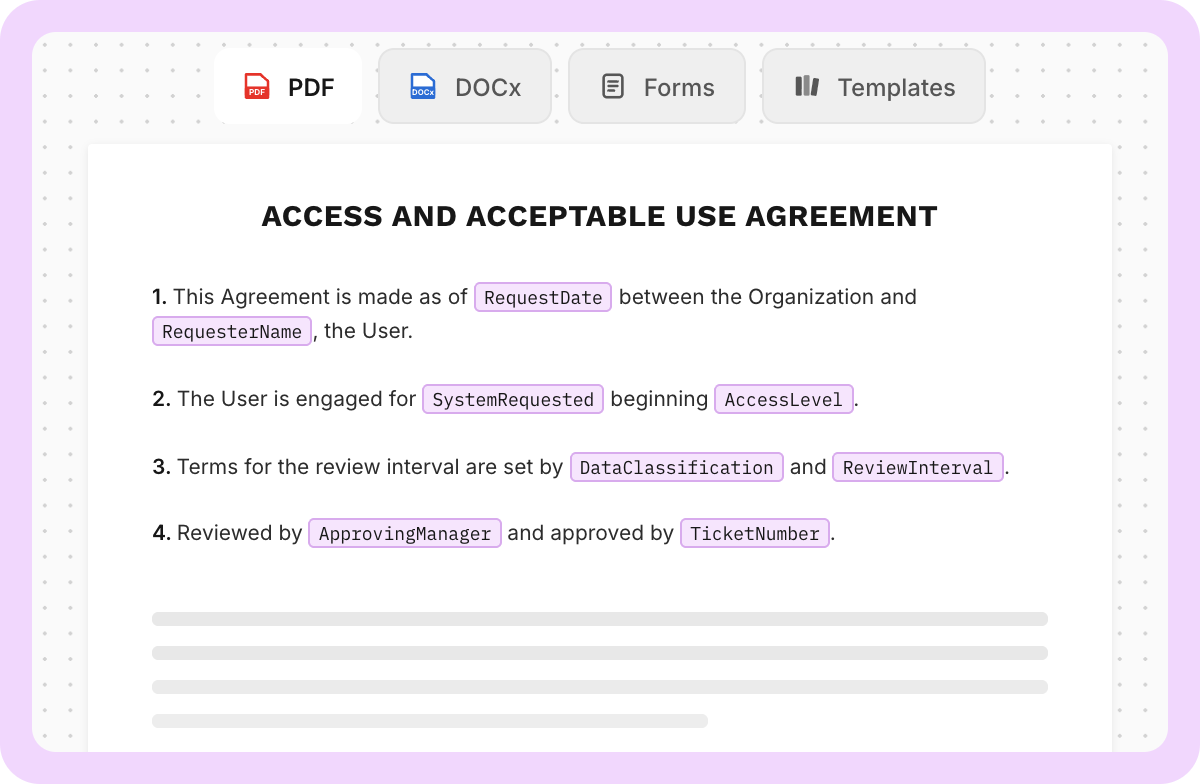
Conditional logic and dynamic tables build the right document in one pass, which is what collapses a library of near-duplicate templates into something maintainable.

Step 3

Approve and sign

Approve and sign — altaFlow IT

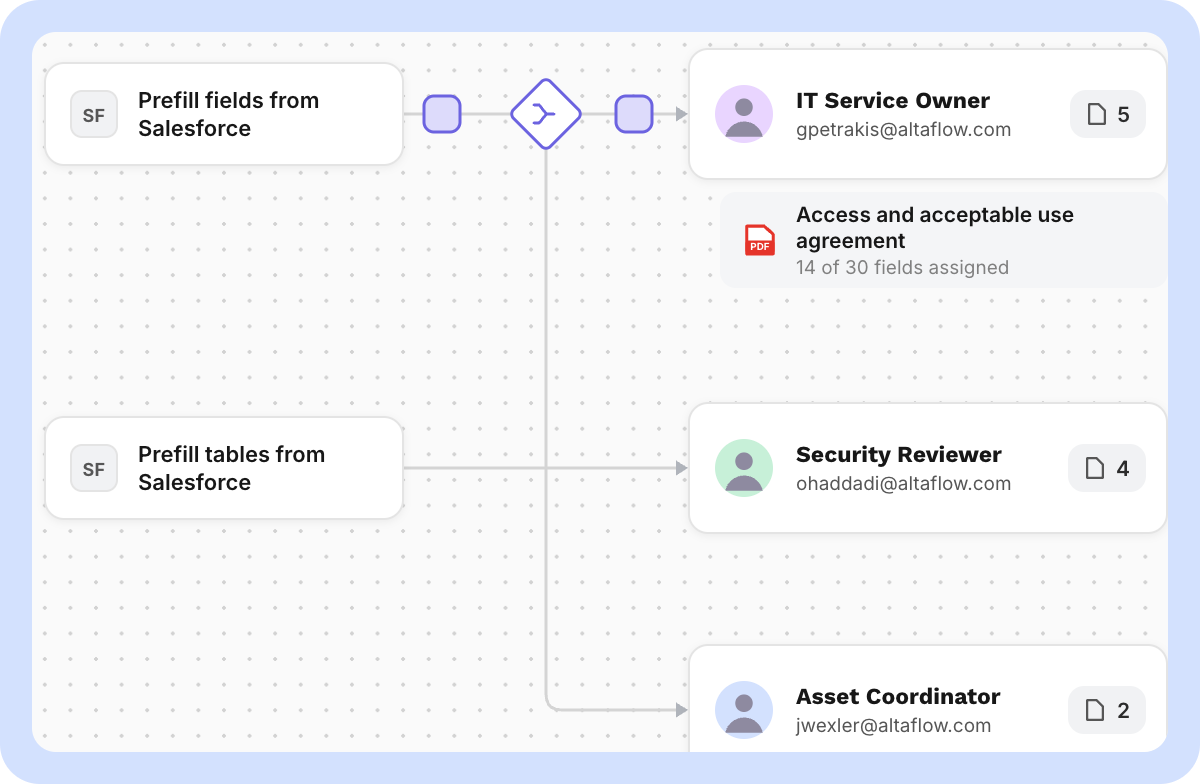
Approval gates enforce the policy before anything leaves, and signing runs on any device with a legally binding signature record.

Step 4

Write back

Write back — altaFlow IT

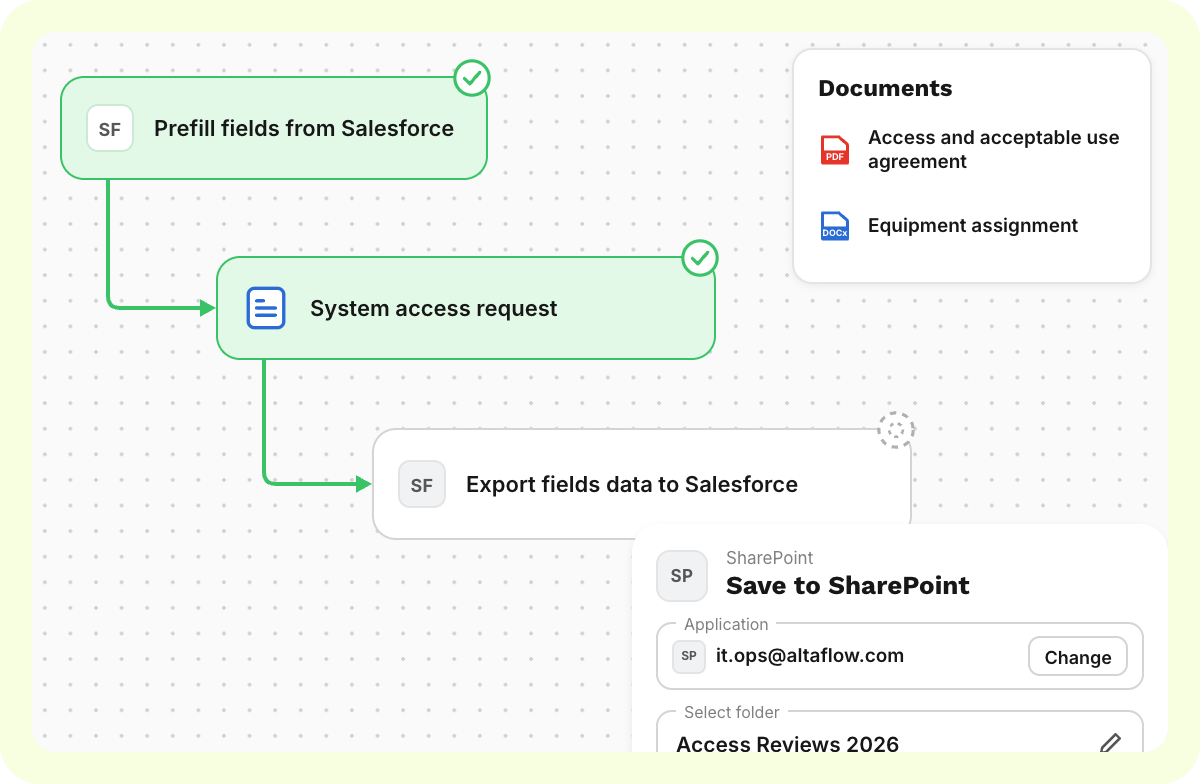
Signed values sync to the system of record, including custom objects, and the file stores where your retention policy says it should.

Build

Document Generation

One template flexes to every scenario through conditional logic and dynamic tables, instead of a copy per variation that somebody has to maintain.

Webforms

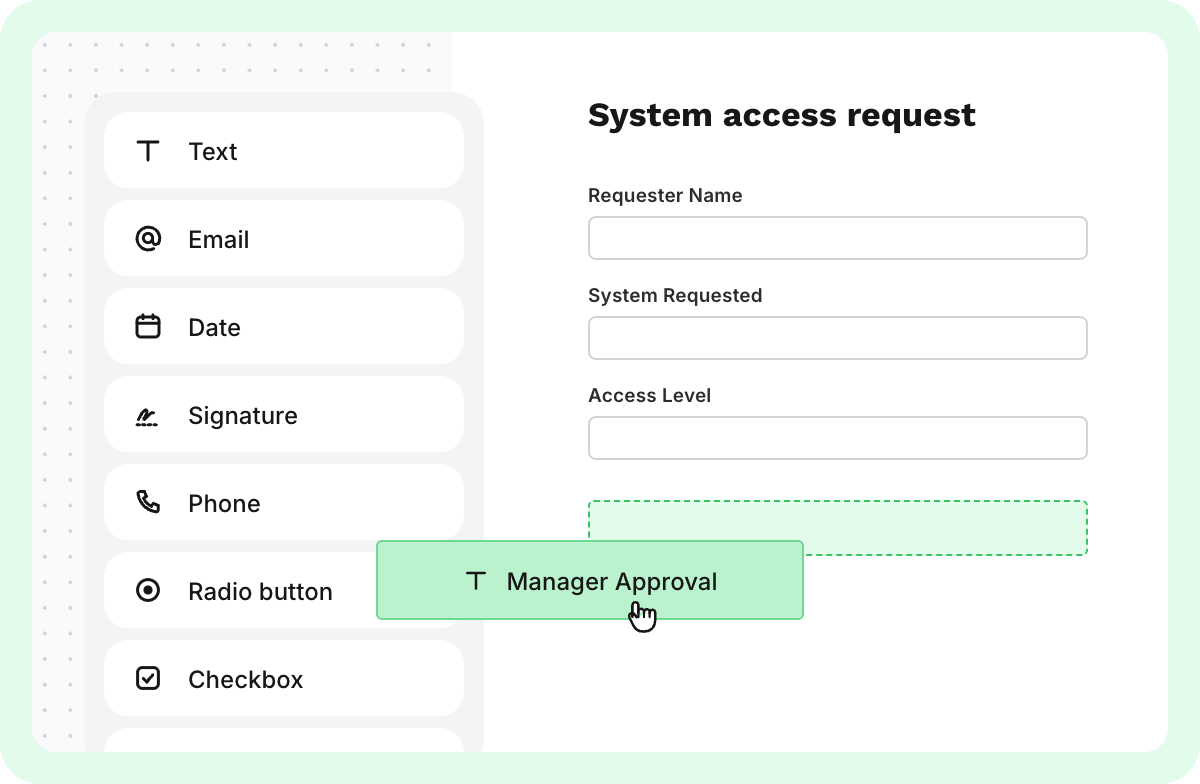
Branded intake forms with field-level conditions, built by the team that owns the process rather than requested from you.

E-sign & Fill out

Multi-step signing on any device, in close to 30 languages, with a legally binding audit record behind every completion.

Automate

Workflow Configuration

Conditional approval gates and autostart triggers from Salesforce, Dynamics 365, NetSuite, SharePoint, or a schedule, configured without code.

Automation Bots

Pre-fill and integration bots move data between systems, which removes the point-to-point scripts you are currently maintaining.

Native CRM Integrations

Two-way sync with your customer relationship management system: Salesforce first, then Microsoft Dynamics 365 and NetSuite. One supported integration replaces a homegrown chain.

Integrate

Integration Bots

Governed connections to Microsoft 365, SharePoint, Google Workspace, and the storage and reporting systems you already run.

APIs for Developers

A documented application programming interface, so generation and signature can be embedded into an internal portal when the no-code path is not the right fit.

Notifications and Reminders

Step-level notifications and reminders the process owner edits, so message changes never reach your queue.

Manage

Security and Authentication

Single sign-on through your identity provider, role-based access control, and two-factor authentication on every account.

Team and Access Management

Granular roles, teams, and workspaces that mirror the org chart, so delegation does not mean losing control.

Document Tracking and Audit

One audit trail across every workflow, with the signer, the internet protocol address, and the timestamp on every action.

It writes back to the systems you already run

Whichever system the process lives in, the finished document and its data go back there.
Start Fast with Prebuilt IT Workflow Templates

Security at the core

Enterprise-grade security and compliance

SSO, role‑based access, audit trails, data retention, and encryption. Built to support regulated use cases with governance across every workflow.

Don't take our word for it

Verified results from teams running document-driven operations on altaFlow.

Ecustomer-logo
James CraigDirector of IT

NewSchool of Architecture & Design

"Our campus-wide adoption of altaFlow has completely transformed how we handle approvals and contract workflows. The platform integrated seamlessly with our existing systems, eliminating bottlenecks and saving us hundreds of hours each term. For a team with limited IT resources, automation has been a game-changer."

Ellipse 1
Mandy HoffmanBusiness Operations Manager

T2 Biosystems

"altaFlow has truly streamlined our document-heavy processes. With its seamless integrations into our existing stack, we've been able to automate workflows and reduce manual effort significantly. Compliance audits, which once took weeks, are now completed in just days. This level of efficiency and security gives us confidence in scaling."
IATDE-Logo-RGB
Mark McNicholDirector

In At The Deep End

“I like the best the fact that the software is so simple to use yet so powerful. With a few clicks of a button, you can create multipage/document forms that are pre-populated based on information users already supply. The fact that somebody only needs to enter their name once and it replicates throughout the whole system is just amazing.“

Frequently Asked Questions

What do we have to build or maintain?

The integration is native and supported. You configure the object layouts and the access model once. After that, template changes, clause changes, and routing changes are made by the teams that own those processes, in a no-code drag-and-drop builder, without a request to you.

How does authentication and access control work?

Single sign-on connects to your identity provider, with two-factor authentication available on every account. Access is granted by role, team, and workspace, so a department can run its own workflows without seeing anyone else's documents.

What does the audit trail actually capture?

Every action on every document: the signer, the internet protocol address, the timestamp, the approval sequence, and the version signed. It is one audit model across all workflows rather than a different one per tool, which is what makes an access review or a security questionnaire answerable in a sitting.

Are there limits on how much of a record a document can read?

There is no limit on the number of related objects or fields. High field counts can affect performance, so large builds get scoped with you before they go live rather than after.

How does this reduce the number of tools we secure?

altaFlow covers five capabilities in one platform: document generation, PDF editing, workflow automation, contract management, and eSignature. That is one vendor assessment and one data model in place of a signature tool, an integration platform, and custom code, at 30 to 40% less than the incumbent stack.

Can we control retention and disposal?

Yes. Retention policies are set at the platform layer and applied per workspace, and signed files can archive to SharePoint, Box, or another repository you already govern.

Is there an application programming interface if we need it?

Yes. Document generation, form logic, and signature can be embedded into an internal portal or an application your team built, for the cases where the no-code path is not the right fit.

How long does implementation take?

Weeks, not quarters. Setup time drops from more than 100 hours to 20 to 30, roughly 80% faster to set up. Basis is one verified customer review, so results vary. The pattern that works is one process live first, then handing the builder to the team that owns the next one.

Bring the integration you are tired of maintaining.

In thirty minutes we replace it with a supported one and show the signed values landing back on the record.

60